

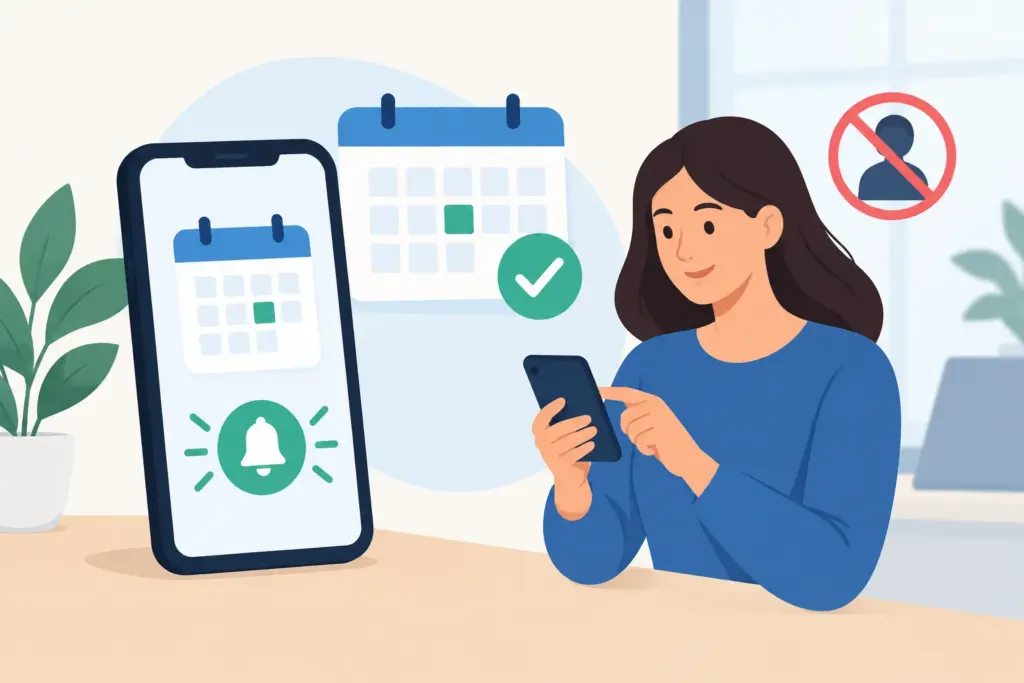
A missed appointment does more than leave an empty spot on the calendar. For a contractor or service crew, it can mean drive time with no revenue, a technician standing by, and the next job pushed later into the day. Appointment reminder systems give customers a clear nudge before the truck rolls, so your team can plan with better information and keep billable work moving.
For a one-person operation, that may mean avoiding one wasted afternoon. For a growing HVAC, plumbing, electrical, or repair business, it can mean protecting a full schedule across several crews. The goal is not to bombard customers with messages. It is to make it easy for them to remember, confirm, reschedule, and prepare for the visit.
What appointment reminder systems should do
The best reminder process starts with the schedule your business already uses. Once a job is booked, the system should send the right message at the right time without requiring you to stop working, open a laptop, or manually text every customer between calls.
A useful reminder confirms the basics: the date, arrival window, service address, and the name of your business. It can also tell the customer what to do next, whether that is confirming the appointment, making sure someone is home, securing a pet, clearing access to equipment, or having an approval decision ready.
For field-service businesses, reminders work best when they are connected to real job details instead of a separate, generic calendar. A homeowner receiving a note that simply says appointment tomorrow may ignore it. A message that says a technician is scheduled to inspect the AC unit Tuesday between 1:00 and 3:00 p.m. is harder to miss and easier to act on.
Why no-shows cost more than one job
No-shows create a chain reaction. Your crew may lose an hour of labor, burn fuel getting to the property, and miss a chance to fit in another profitable call. If the customer does not answer after you arrive, the dispatcher has to chase an update while the rest of the schedule gets tighter.
Late cancellations can be just as costly. A customer who remembers the appointment only after the technician is on the way may need to reschedule. With enough notice, you may be able to move another job forward, send the crew to a different site, or use the opening for estimates and follow-up work. Without it, you are left with dead time.
Reminders also protect the customer experience. People are busy, especially homeowners coordinating work around jobs, school pickups, and family schedules. A simple confirmation message feels organized and professional. It reassures them that you have their appointment handled, while giving them a quick way to flag a conflict.
Build a reminder schedule around the type of work
There is no single reminder timing that fits every business. A residential repair visit scheduled for tomorrow needs a different approach than a commercial project booked three weeks out. Start with the length of your sales cycle, the value of the job, and how difficult it is to fill an open slot.
For many service calls, a confirmation immediately after booking is the first step. This is not really a reminder yet. It is the customer’s record that the appointment exists, including the key details they may forget after hanging up the phone.
A second message 24 to 48 hours before the visit usually catches scheduling conflicts early enough to do something about them. For jobs with a tighter arrival window or a high chance of access issues, a final reminder on the morning of service can be helpful. Keep it short and practical: your crew is expected during a stated window, and the customer can reply if plans changed.
For larger estimates, remodel consultations, or commercial work, consider a reminder several days before the appointment and another the day before. These visits often involve multiple decision-makers, gate codes, site contacts, or documents that need to be ready. More notice is useful, but only when every message adds value.
Sending too many reminders has a trade-off. Customers can start treating them like spam, especially when the appointment is still far away. Use fewer, better messages tied to real decisions and real job milestones.
Give customers an easy way to respond
A reminder is most valuable when it creates an action. Can the customer confirm? Can they request a new time? Can they tell you a gate code changed or that another family member will be home? If a message only delivers information, your office may still be stuck calling people manually to get answers.
Set a clear response process before you automate anything. Decide who watches replies, what happens when someone asks to reschedule, and how quickly the calendar gets updated. An automated message cannot solve a no-show if a customer replies that they cannot make it and nobody sees the response until the crew is already driving over.
For very small teams, the owner may handle these replies between jobs. As the company grows, an office manager or dispatcher may own the workflow. Either way, use one shared place for the appointment status so the technician, scheduler, and person sending invoices are working from the same information.
Choose text, email, or calls based on the customer
Text reminders are often the most practical choice for short-notice field appointments. Customers tend to see them quickly, and they can respond while they are away from a computer. They are particularly useful for same-day arrival updates or a request to confirm access.
Email is better when the appointment includes more detail, such as an estimate, project scope, preparation instructions, or payment information. It gives the customer a record they can search later, but it should not be the only method for an urgent reminder.
Phone calls still have a place for high-value jobs, older customers who prefer them, and appointments that require coordination. The right approach depends on your customer base. A commercial property manager may want email, while a homeowner waiting on a plumbing repair may respond fastest to a text.
Respect customer preferences and make messages easy to recognize. Use your business name, avoid vague wording, and do not send promotional offers disguised as service reminders. The trust you build before the appointment carries into the estimate, invoice, and payment conversation afterward.
Connect reminders to the field-to-payment workflow
The real payoff comes when a confirmed appointment does not sit in a separate scheduling tool. Your team should be able to turn completed work into an estimate, invoice, payment request, or customer record without retyping job details. That reduces admin work at the end of a long day and lowers the risk of forgotten billing.
For example, a technician can arrive at a confirmed repair call, track time, document the work, add materials or a receipt, and create the invoice while the job is still fresh. The customer gets a professional record and a clear way to pay. Your books stay cleaner because the appointment, labor, expenses, and payment activity belong to the same job history.
InvoiceGenie Pro is built for this kind of mobile workflow, helping field teams manage appointments and move from scheduled work to invoicing without being tied to a desktop. The reminder process matters because it protects the first step in that chain: getting the right customer ready for the right job at the right time.
Measure the results instead of guessing
After you put appointment reminders in place, watch what changes over the next 30 to 60 days. Look at no-show rates, late cancellations, customer confirmations, empty drive time, and how often crews arrive without access to the property. You may also notice that invoices go out faster because fewer jobs are disrupted or rescheduled.
Compare results by job type. A reminder schedule that works well for maintenance visits may not be enough for multi-day projects. If one crew handles more no-shows than another, check whether they have different arrival windows, customer types, or follow-up practices.
Most importantly, do not treat reminders as a set-it-and-forget-it feature. Adjust the timing, wording, and response process when the data tells you something is not working. Every confirmed appointment is a better chance to keep the crew productive, serve the customer well, and get paid for work already on the calendar.