

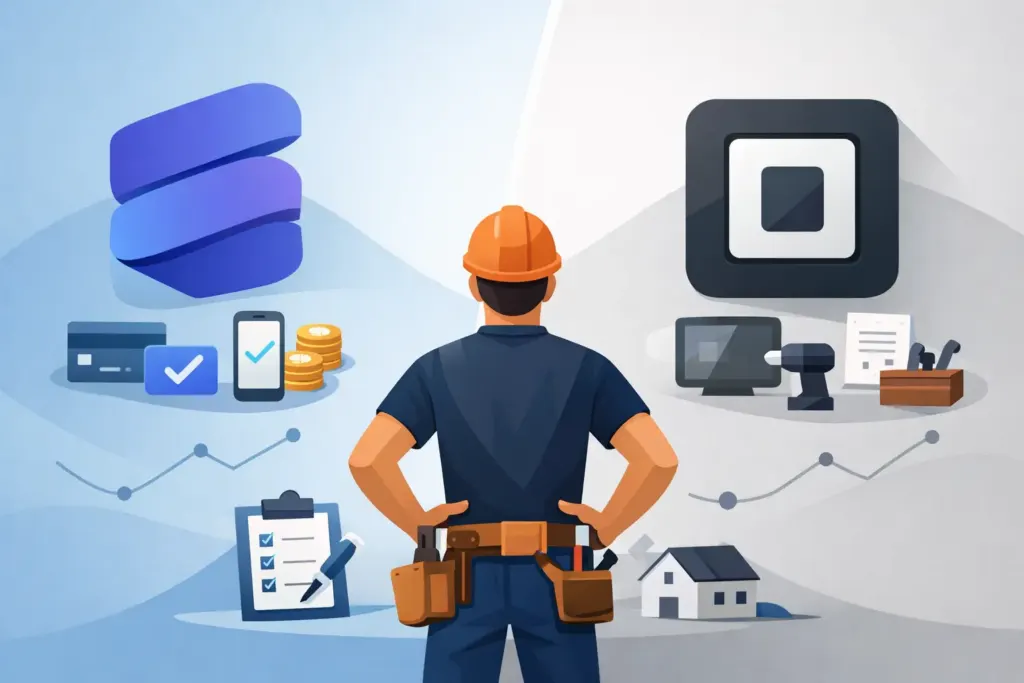
A customer is ready to pay at the kitchen table, in a mechanical room, or beside a finished remodel. That is where the Stripe vs Square contractors decision becomes real. The better option is not the one with the flashiest dashboard. It is the one that lets you take payment without slowing down the job, losing track of the invoice, or creating more cleanup for your books later.
Both platforms can help a service business accept card payments. Both are established payment processors with tools for invoices, payment links, and customer records. But their strengths are different. Square is built for straightforward, in-person selling. Stripe is built for flexible online payments and software integrations. For many contractors, the right answer comes down to how customers pay, how your crew works, and whether payment collection needs to connect to the rest of your operation.
Stripe vs Square for Contractors: The Core Difference
Square is usually the faster path for a contractor who needs to start taking cards face-to-face. Its card readers, point-of-sale app, and tap-to-pay options are designed for a person standing in front of a customer. If you finish a service call and the homeowner wants to tap a card or phone, Square makes that moment simple.
Stripe is usually a better fit when payment happens through an invoice, a secure payment request, a customer portal, or a custom workflow. It is known for its developer-friendly tools, which means it can power more tailored online payment experiences. That flexibility matters when your business uses software to create invoices, collect deposits, store job history, and sync financial information.
Neither approach is automatically better. A solo plumber taking most payments on-site has different needs than an HVAC company that sends deposit requests, dispatches technicians, and collects balances after work is approved.
Start With How You Actually Get Paid
Before comparing features, look at your last month of completed jobs. Did clients mostly pay on the spot? Did you email invoices after the crew left? Did you collect a deposit before ordering materials? Did customers split payments between a card, check, and financing option?
Square is often the cleaner choice if most revenue is collected in person. You can use a mobile card reader, take contactless payments, and issue a receipt before loading up the truck. This is particularly useful for repair calls, maintenance visits, and small jobs where the final price is known before you leave.
Stripe is often the stronger choice when payment is part of a digital invoice workflow. For example, a remodeler may send an estimate, convert it to an invoice once approved, request a 30% deposit, and send progress invoices as milestones are completed. Stripe works well behind the scenes in systems that need those payment requests to feel like a natural part of the customer experience.
The key is not to force every customer into one payment method. Good payment operations give customers an easy way to pay while keeping every transaction tied to the right job.
Fees Matter, but the Workflow Costs More
Payment processing fees are necessary to compare, especially when card volume is growing. Both Stripe and Square generally use straightforward pricing for standard card transactions, but rates can vary by payment type, card type, whether the payment is in person or online, and any negotiated pricing your business receives. Check current published rates before making a decision.
Still, the lowest listed processing rate does not always produce the lowest real cost.
If a platform saves a few cents on a transaction but forces you to retype customer details, chase down which job a payment belongs to, or wait until evening to send invoices, it is costing you labor and slowing cash flow. The same goes for a cheap reader that sits unused because your technician cannot find the matching invoice in the field.
Think beyond the rate. Ask whether the payment tool helps you collect deposits sooner, reduce late payments, avoid duplicate entry, and keep your records accountant-ready. Those operational gains can matter far more than a small difference in card processing fees.
In-Person Payments and Hardware
Hardware is where Square has a clear advantage for many field-service operators. It offers familiar options for card dipping, tapping, and mobile wallets, and it is easy to hand a customer a device at the end of a call. For contractors with a counter, showroom, supply pickup area, or frequent on-site collections, that simplicity is valuable.
Stripe can support in-person payments too, but it is often better suited to businesses using a connected software setup rather than relying on a standalone point-of-sale experience. If your main priority is getting a card reader into every truck with minimal setup, Square may feel more direct.
There is one important exception: some contractors do not need a reader at all. If customers prefer a texted or emailed invoice they can pay from their phone, an online payment request can be more convenient than passing around hardware. It also creates a cleaner record of what was billed, what was paid, and when the customer approved the charge.
Invoices, Deposits, and Progress Billing
Contractors rarely collect a single, simple payment. You may need a diagnostic fee today, a material deposit tomorrow, a draw after rough-in, and a final balance after walkthrough. Your payment processor should support that reality without turning every job into a spreadsheet project.
Square provides invoicing tools that can work well for basic estimates, deposits, and balances. It is a practical choice for businesses that want payments and simple customer billing in one familiar system.
Stripe stands out when invoices are being created by another business platform and payment needs to move with the job record. That can be especially helpful for companies that want more control over branded payment pages, automated payment reminders, saved payment methods, or custom billing rules.
For a growing service business, the question is whether the invoice is just a request for money or part of the full job record. If it needs to include labor, materials, photos, receipts, approvals, appointment history, and crew time, use a workflow that keeps those details together from the start.
Choose Based on Your Day-to-Day Operation
Square is likely the better starting point when your business needs fast, reliable in-person card collection and simple setup. It fits well for service calls, small-ticket repairs, and crews that want a familiar mobile payment experience without building a connected system around it.
Stripe is likely the better choice when online invoices, deposits, recurring work, and software integration drive the way you collect revenue. It can be a strong fit for contractors who want payments embedded in a larger workflow instead of handled as a separate task.
Use these four questions to make the call:
- Do customers usually pay while you are still on-site, or after they receive an invoice?
- Do you need a dedicated card reader in every vehicle or mainly secure online payment requests?
- Are deposits, progress payments, and automated reminders a regular part of your work?
- Can your payment activity connect to job details and bookkeeping without manual re-entry?
If the first two answers point to immediate, face-to-face payment, Square deserves a close look. If the last two point to connected invoices and more complex billing, Stripe may give you more room to grow.
Keep Payments Connected to the Job
The payment processor is only one part of getting paid. The bigger win comes from connecting payment collection to the work your team already performs. A technician tracks time, the office adds materials, the estimate becomes an invoice, and the customer receives a clear way to pay. Nothing gets buried in a text thread or left on a paper ticket in the truck.
InvoiceGenie Pro supports payment acceptance through Stripe, Square, and PayPal, so contractors can choose the option that works for their customers instead of rebuilding their entire workflow around one processor. You can create the invoice in the field, attach the job details, send the payment request, and keep the record organized for QuickBooks Online.
Pick the processor that makes the last five minutes of a job easier. When payment takes less effort for the customer and less follow-up from your team, you protect your cash flow and get back to the work waiting on the next site.